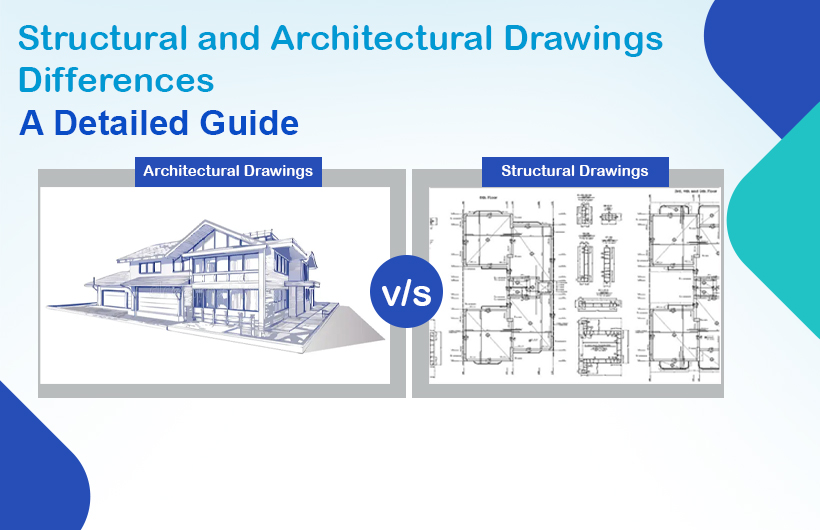
In the construction industry, accuracy, clarity, and proper coordination are essential for turning a concept into a fully functional structure. Two of the most important documents that guide this process are architectural drawings and structural drawings. Although both are created for the same project, their roles, technical depth, and objectives are different. Understanding structural drawing vs architectural drawing helps avoid design errors, delays, and costly onsite changes.
This blog explains the differences, features, purposes, and uses of both drawing types, along with an overview of essential construction drawing types used across modern projects.
What Are Architectural Drawings?
Architectural drawings serve as the visual and conceptual backbone of any construction project. They define the building’s overall look, spatial layout, aesthetics, and functionality. Architects prepare these drawings to communicate design intent to clients, consultants, and contractors.
Key Features of Architectural Drawings
Architectural drawings typically include:
- Floor Plans – Showroom layouts, dimensions, walls, doors, windows, and circulation spaces.
- Elevations – External views of a building from different sides.
- Sections – Vertical cuts illustrating internal relationships between floors, rooms, and components.
- Site Plans – Indicate building placement, landscape elements, pathways, parking and boundaries.
- Finishing Details – Materials, textures, interior elements, and design finishes.
These drawings serve as a guide for the overall look and usability of the structure while maintaining compliance with regulatory and aesthetic standards.
Purpose of Architectural Drawings
Architectural drawings aim to:
- Establish the design intent of the building
- Help clients visualise the final structure
- Provide references for contractors and engineers
- Ensure compliance with building codes and zoning laws
- Coordinate design across disciplines
- Aid in cost estimation and project planning
In simple terms, architectural drawings define what the building will look like and how spaces function.
What Are Structural Drawings?
While architectural drawings focus on aesthetics and space planning, structural drawings focus on safety, stability, and material strength. Structural engineers develop these drawings to ensure the building can withstand loads, forces, and environmental conditions.
Key Features of Structural Drawings
Structural drawings usually include:
- Foundation Plans – Footing sizes, depth, and reinforcement details.
- Beam & Column Layouts – Load-bearing systems and connections.
- Slab Designs – Thickness, reinforcement patterns, and strength specifications.
- Structural Layout Drawings – Complete structural framework of the building.
- Detailing Drawings – Reinforcement, joints, anchorage, rebar schedules, and structural notes.
These drawings are far more technical and calculation-driven compared to architectural drawings.
Purpose of Structural Drawings
Structural drawings aim to:
- Ensure the building’s strength, stability, and safety
- Define load-bearing members and their specifications
- Communicate reinforcement detailing to contractors
- Coordinate structural components with architectural layouts
- Establish material requirements for concrete, steel, and other load-bearing elements
- Prevent design failures and structural risk
Simply put, structural drawings define how the building will stand and how loads are transferred safely.
Structural vs Architectural Drawings: Key Differences
Architectural and structural drawings may appear similar on the surface, but they serve completely different functions. Recognising the difference ensures smoother project execution and avoids onsite conflicts.
Comparison Table
| Aspect | Architectural Drawings | Structural Drawings |
| Primary Focus | Design, aesthetics, and layout | Safety, stability, and load-bearing structure |
| Prepared By | Architects | Structural engineers |
| Includes | Plans, elevations, sections, interior layouts | Beams, columns, slabs, foundation, rebar |
| Purpose | Visualisation and functionality | Ensuring structural strength |
| Detail Level | Conceptual and aesthetic | Technical and calculation-based |
| Used By | Clients, architects, site teams | Engineers, contractors, and fabricators |
| Changes | More design-flexible | Less flexible; must maintain structural integrity |
Why Understanding the Difference Matters
Understanding the difference between architectural drawings in construction and structural drawings in civil engineering helps:
- Preventing clashes between design and structural elements
- Reduce rework during on-site construction
- Improve project scheduling and cost accuracy
- Enhance communication between teams
- Maintain compliance with industry standards
When both drawing sets are coordinated properly, the project becomes safer, more efficient, and structurally sound.
Types of Construction Drawings
Construction projects rely on multiple drawing sets that guide different teams. Below are the major construction drawing types and uses.
Architectural Drawings
These drawings define the building’s design, layout, materials, and aesthetics. They include:
- Floor plans
- Elevations
- Sections
- Door-window schedules
- Interior layouts
These drawings ensure the building is functional, visually appealing, and aligned with client requirements.
Structural Drawings
These drawings define load-bearing systems and reinforcement. They include:
- Structural layout drawings
- Foundation drawings
- Beam and column schedules
- Reinforcement detailing
- Structural notes
They ensure safety and stability throughout the project lifecycle.
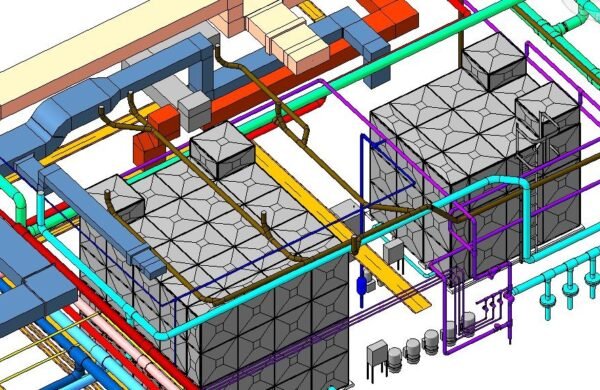
MEP Drawings
MEP stands for Mechanical, Electrical, and Plumbing. These drawings include:
- HVAC layouts
- Electrical wiring and circuit diagrams
- Plumbing and drainage plans
- Fire protection design
MEP drawings ensure the seamless installation of essential building services.
Interior Design Drawings
Used for creating a functional and aesthetically appealing interior environment, they include:
- Furniture layout plans
- Ceiling designs
- Lighting layouts
- Material selection sheets
They help guide interior contractors and vendors.
Civil & Landscaping Drawings
Civil and landscape drawings include:
- Road layouts
- Drainage systems
- Soil grading plans
- Softscape and hardscape designs
They improve external functionality and environmental harmony.
Conclusion
Both architectural and structural drawings are essential for successful project delivery. Architectural drawings determine the building’s form, appearance, and spatial arrangement, while structural drawings ensure that the building stands strong and safe. Understanding structural drawing vs architectural drawing helps improve design coordination, reduce errors, and strengthen communication between teams.
As construction projects evolve, the importance of accurate, detailed, and coordinated drawings becomes even more critical. Partnering with experienced engineering and design experts like Monarch Innovation ensures high-quality drawings, faster project execution, and seamless collaboration.
FAQs
1. What is the main difference between architectural and structural drawings?
Architectural drawings focus on the building’s design and layout, while structural drawings focus on its safety and load-bearing structure.
2. Are structural drawings more detailed than architectural drawings?
Yes. Structural drawings contain technical specifications, reinforcement details, and calculations.
3. Who prepares architectural drawings?
Architects prepare architectural drawings.
4. What are shop drawings in construction?
Shop drawings are detailed fabrication drawings created by contractors or fabricators for manufacturing components like steel frames, HVAC ducts, or furniture.
5. Why do construction projects need different drawing types?
Because each drawing serves a different purpose, from design and structure to interior and MEP systems, ensuring smooth project execution.