
Harsh Joshi
Co-founder & Technical Director
See how BIM-synced mobile apps let site teams log QA/QC defects on model elements, what the model needs first, what drives cost, and when a custom app beats an off-the-shelf platform.
A site engineer finds a sleeve in the wrong place on level four. She takes a photo, writes a note, and adds it to a spreadsheet that the coordination team will see on Friday. By then the slab is poured. Most construction quality problems are not caused by a lack of inspections. They are caused by inspection findings that reach the model, and the people who can fix them, too late.
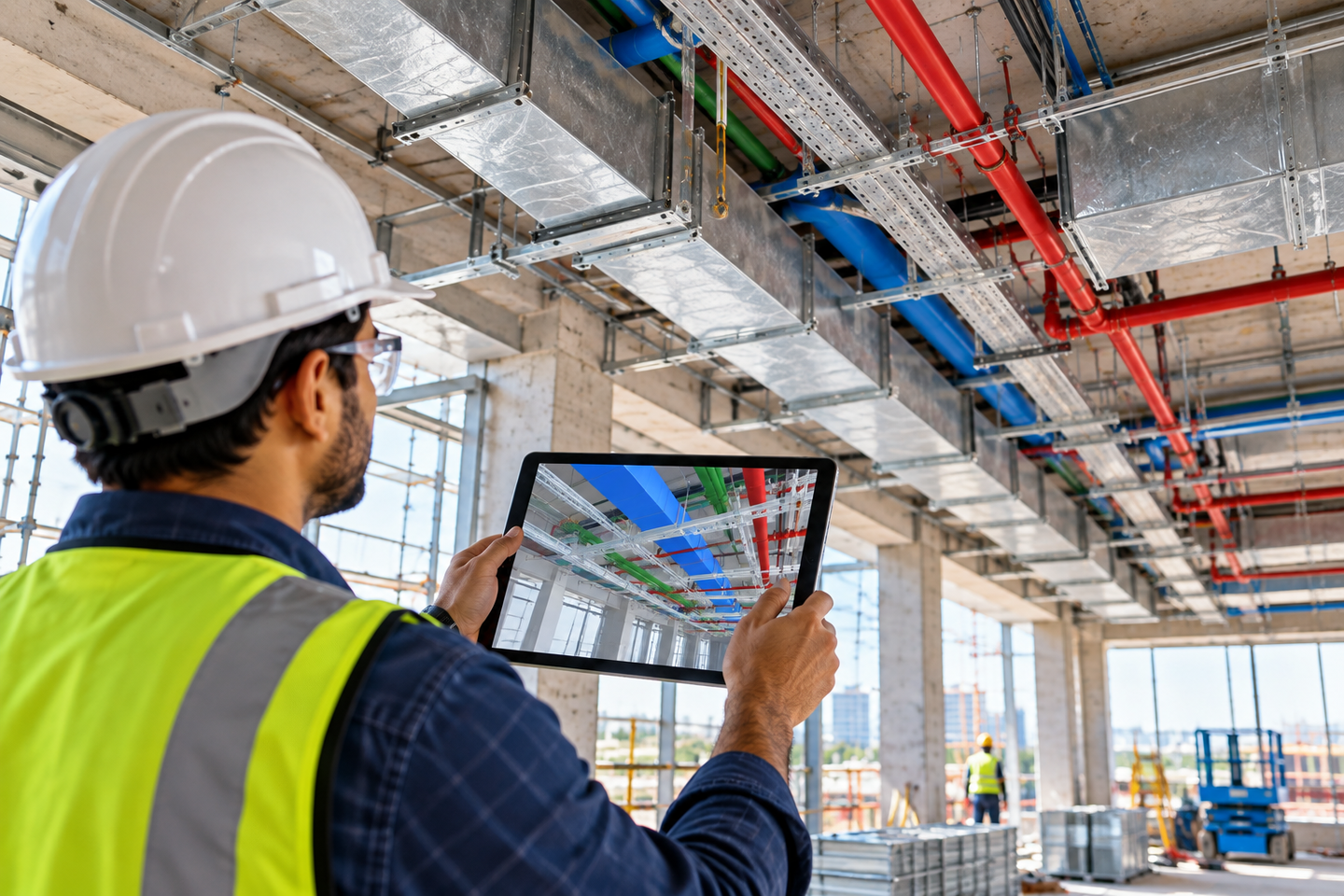
A construction QA/QC mobile app with BIM sync closes that gap. It lets inspectors open the current coordinated model on a phone or tablet, check work against it, and log each defect directly on the model element it affects. The issue then syncs back to the project's AEC and BIM workflow, where designers, coordinators and trade contractors see it in the same place.
This guide explains how BIM sync works, what a model needs before it can support field QA/QC, which features matter most, what the workflow improves, and how to choose between an off-the-shelf platform and a custom app.
A construction QA/QC mobile app with BIM sync lets site teams inspect installed work against the current model, record defects against specific BIM elements, capture evidence, and sync issues with the office team while the work is still open.
What Is a Construction QA/QC Mobile App?
A construction QA/QC mobile app is a field application that replaces paper inspection forms with digital checklists, photo evidence and issue tracking. When it syncs with BIM, it also links each inspection record to a specific element in the project model.
Two terms are worth separating. Quality assurance (QA) is the planned system that prevents defects: inspection and test plans, hold points, method statements and approval workflows. Quality control (QC) is the act of checking the installed work against drawings, specifications and the model. A good app supports both. It carries the QA rules into the field as checklists, and it records the QC results as evidence.
The BIM link is what separates these apps from general inspection tools. A plain inspection app stores "Duct clash, grid C4, level 3" as text and a photo. A BIM-linked app stores the same finding against the duct object itself, with its system, size and location already attached.
How Does BIM Sync Work for Construction QA/QC?
Real-time BIM sync means that model updates reach site devices, and site findings reach the model, through a shared cloud platform rather than through emailed files and weekly meetings. The usual flow looks like this:
- The coordinated model is published to a common data environment (CDE), the single shared platform where approved project information lives.
- Site devices download the current version and keep a cached copy for areas with weak signal.
- An inspector selects an element in the model, such as a fire damper or a column, and runs the checklist assigned to that element type.
- A failed item becomes an issue that stores the element's unique ID, a camera viewpoint, photos, the inspector's notes and a responsible party.
- The issue syncs to the CDE as soon as the device has a connection, and appears in the coordination tool the BIM team already uses.
- The responsible trade fixes the work, uploads proof, and the inspector closes the issue on site.
The element ID is the important part. In openBIM workflows, issues often travel in the BIM Collaboration Format (BCF), a buildingSMART International standard that references model elements through their IFC GUIDs and attaches viewpoints and comments. That is why an issue raised on a tablet can open at the exact object in Navisworks, Revit or Solibri instead of leaving a coordinator searching for "the third duct from the left."
What Does "Real Time" Mean on a Construction Site?
On most sites, "real time" really means "as soon as the device reconnects." Basements, cores and steel-framed floors often block signal, so a field app must work offline, queue its records, and sync later without losing data.
Two practical checks matter here. First, confirm how the app handles conflicts, for example when two inspectors edit the same issue offline. Second, confirm how it flags a cached model that is out of date, so nobody inspects against a superseded revision.
Paper vs Digital vs BIM-Linked QA/QC
| Factor | Paper or PDF checklists | General inspection app | BIM-linked QA/QC app |
|---|---|---|---|
| Location of a defect | Written description | Pin on a 2D drawing | Attached to the model element |
| Model revision awareness | None | Partial, depends on drawing upload | Tied to the published model version |
| Speed to the design team | Days, often at the next meeting | Faster, but outside BIM tools | Visible in the coordination model after sync |
| Evidence trail | Scattered photos and signatures | Central, time-stamped records | Central records linked to model objects |
| Use at handover | Manual collation | Exported reports | Feeds as-built and asset data |
The jump from a general inspection app to a BIM-linked one matters most on projects with dense services, such as hospitals, data centers and laboratories. In those buildings the cost of a defect depends heavily on how quickly the MEP coordination team learns about it.
What Problems Does BIM-Synced QA/QC Solve?
The value of a BIM-linked workflow is not simply that it replaces paper. It shortens the path from finding a defect to giving the right person enough information to fix it.
A well-designed workflow can help teams:
- Find defects earlier, before work is covered or access becomes difficult.
- Give every issue a clear location and owner, instead of relying on descriptions such as "near the third duct."
- Keep site and office teams aligned around the same model revision.
- Build a stronger evidence trail with photos, timestamps, viewpoints and issue history.
- Improve handover information by carrying verified field conditions and closed issues into the project record.
What Does a BIM Model Need for QA/QC Inspection?
A mobile QA/QC app can only be as useful as the model it opens. Many rollouts stall because the model was built for design coordination, not for field inspection.
Check these four things before you deploy:
- The right level of development (LOD). Elements that will be inspected need enough detail and data to inspect against. A generic wall at LOD 200 cannot carry fire-rating checks; a modeled wall type with its rating parameter can.
- Consistent parameters. Inspection checklists usually filter by level, zone, system and trade. If those parameters are missing or named differently in each discipline model, the app cannot assign checklists automatically.
- A clash-resolved federated model. Inspecting against an uncoordinated model creates false defects. Systematic BIM clash detection before issue for construction keeps site findings focused on real installation errors.
- A clear revision process. Site teams need to know which model version is approved for construction, and the app should show it.
For MEP-heavy projects, the model behind the app usually comes out of MEP BIM coordination, where mechanical, electrical, plumbing and fire protection systems are resolved before installation. If that coordination is weak, the QA/QC app will expose it quickly, which is useful, but not where you want to find it.
What Features Should a Construction QA/QC App Have?
Feature lists from vendors are long. These are the capabilities that decide whether inspectors actually use the app every day:
- Reliable offline mode with automatic sync and conflict handling.
- Element-linked issues that carry the model object ID, not just a pin on a sheet.
- Checklists built from your inspection and test plans, with hold points that block progress until sign-off.
- Photos and markups saved with location and timestamp for an audit-ready evidence trail.
- Open standards support (IFC and BCF) so issues are not locked into one vendor's ecosystem.
- Role-based access so subcontractors see and close only their own items.
- Digital sign-off and audit history for inspections that need formal approval.
- Integrations with your CDE, scheduling and document control systems.
Augmented reality (AR) is a useful addition for specific checks, such as confirming embed and sleeve positions before a pour. Overlaying the model on the physical space helps inspectors spot misplaced work quickly. BIM with augmented reality on site works best as a targeted tool, not as the default way every inspection is done.
Off-the-Shelf Platform vs a Custom QA/QC App
Most contractors should start with an established platform. A custom app makes sense only when your quality process, integrations or client requirements do not fit what the market already offers.
Common platforms include Autodesk Forma (formerly Autodesk Construction Cloud), Procore, Dalux, PlanRadar, Fieldwire and Bluebeam. They differ in how deeply they handle BIM, how well they work offline, and how they price field users, so test them on your own models and checklists rather than on a demo project.
| Situation | Better fit | Why |
|---|---|---|
| Standard inspections on typical commercial projects | Off-the-shelf platform | Mature features, fast setup, vendor-managed updates |
| Quality workflows unique to your company or client | Custom app or extension | Your process does not have to bend to a generic product |
| Data must flow into ERP, asset management or owner systems | Custom integration layer | Platform APIs may not cover the full data path |
| Owner wants a branded inspection tool across many sites | Custom app | Control over features, branding and long-term roadmap |
A middle path is common: keep a mainstream CDE and build a custom mobile layer or integration on top of its API. If you are weighing these options, the same logic in our guide to build vs buy vs outsource software decisions applies. Teams that go custom need native and cross-platform mobile app development with offline data handling built in from the start, since retrofitting offline sync later is expensive.
What Determines the Cost of a BIM QA/QC App?
There is no useful single price for every construction QA/QC mobile app. Cost depends on how much of the workflow is standard and how much needs to be built or integrated around your project.
The main factors include:
- BIM requirements: model viewing, element selection, IFC and BCF workflows, and revision handling.
- Field requirements: offline mode, device support, photo capture, markups, checklists and sign-off.
- Integration needs: CDE, document control, scheduling, ERP, asset management or owner systems.
- Workflow complexity: roles, approvals, hold points, issue routing and reporting.
- Scale: the number of users, projects, trades and sites that need to use the system.
For a standard workflow, an established platform is usually the faster route. Custom development becomes more relevant when these requirements need to work together in a way the selected platform cannot support.
How to Roll Out BIM-Synced QA/QC on a Live Project
A phased rollout works better than switching every trade on day one.
- Turn your inspection and test plans into digital checklists, mapped to element types and trades.
- Prepare the model with the parameters, LOD and zones the checklists depend on.
- Set up the CDE, folder structure, permissions and model publishing rules.
- Pilot on one floor or one trade, usually MEP rough-in, where defects are frequent and costly.
- Train foremen and inspectors on site, on their own devices, in the actual conditions they work in.
- Review issue data weekly, looking for repeat defects by trade, location or element type.
- Carry closed issues into handover, so verified field conditions feed the as-built model and facility data.
Where site conditions drift far from the design, laser scanning helps confirm what was actually built. Scan to BIM gives the QA/QC team an accurate record to compare against before closeout.
Common Mistakes That Break the Field-to-Model Loop
A few patterns repeatedly weaken BIM-synced quality programs. The most common is deploying the app before the model is ready, which floods the system with false defects and costs the tool its credibility with site staff. Another is treating the app as a photo archive, where issues are logged but never assigned, tracked or closed.
Teams also run into trouble when they ignore offline performance until the first week in a basement, or when each trade uses a different app and nobody owns the combined picture. Finally, many projects stop the loop at closure. If verified field conditions never update the model, the owner receives an "as-built" model that does not match the building.
Making BIM the Single Source of Truth on Site
A construction QA/QC mobile app is only as strong as the BIM process behind it. The app moves information quickly, but the model decides whether that information is accurate, inspectable and useful at handover. Contractors that get the most from field QA/QC treat model readiness, coordination and app rollout as one program, not three separate purchases.
Monarch Innovation supports this from both sides. Our BIM teams build and coordinate construction-ready models in Revit, Navisworks and Tekla, deliver IFC-compliant data with BCF issue tracking, and provide virtual design and construction services that connect the model to site delivery. Our digital engineering teams build native and cross-platform mobile apps when a project needs a custom field tool or integration.
Planning to Connect Site QA/QC to Your BIM Model?
Whether you need a construction-ready model, MEP coordination, a custom mobile inspection app or an integration layer, discuss your BIM project with Monarch Innovation and get a practical view of what your site workflow needs.
Discuss Your BIM Project