
Rename Tool
$349.00
ONE-TIME LICENSE
2.7.0
CURRENT VERSION
Windows 32 & 64
OPERATING SYSTEM
3.17 MB
DOWNLOAD SIZE

OVERVIEW
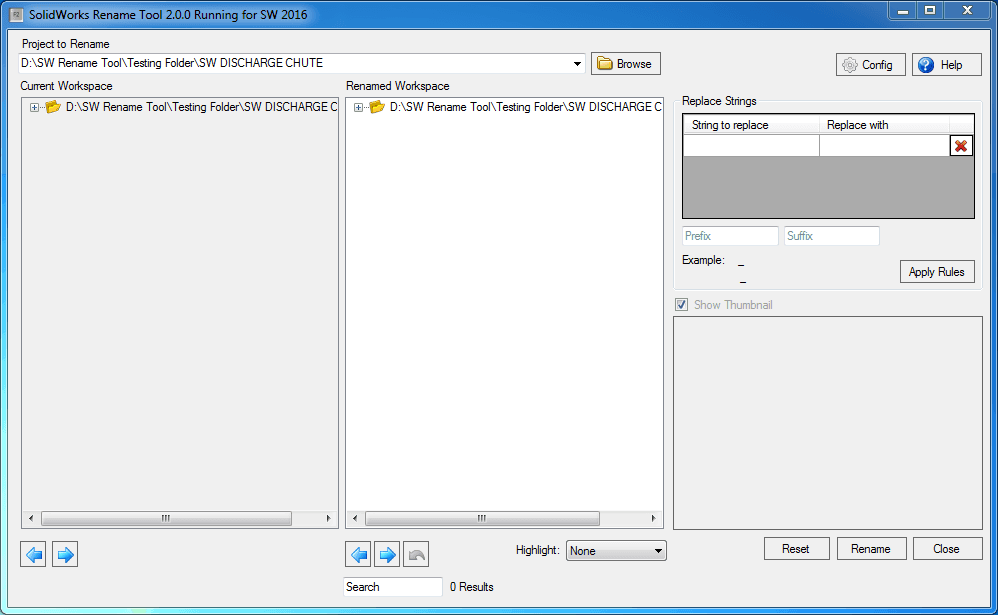
Streamline file renaming across your SW projects
SW Rename automates the renaming of SolidWorks features, components, and files across assemblies and drawings. It eliminates the tedious manual process of updating references one by one, preventing broken links, missing references, and version confusion that slow down engineering teams.
Select any feature, part, or assembly in the FeatureManager tree, specify your new naming convention, and SW Rename propagates the change across every drawing view, BOM entry, and assembly reference — ensuring consistency in a single operation without hunting through dependent files.
Why teams need it
Manual renaming in SolidWorks breaks parent-child references between assemblies and drawings, causing rebuild errors and lost design intent. Large assemblies with hundreds of components make consistent naming nearly impossible by hand. Regulatory and PDM workflows demand standardized naming conventions — SW Rename enforces these rules automatically, reducing documentation errors and accelerating release processes.
CAPABILITIES
What it handles for you
Four core behaviors cover the day-to-day reality of managing large, deeply-referenced Inventor assemblies.
Full reference tree autosave
Saves all referenced parts, assemblies, and drawings tied to the active assembly in one automated pass.
iLogic & external rule support
Built for workflows where rules trigger on file Open or Save events and must run across every linked document.
Automated drawing QC
Step through a sequence of drawings for quality checks without manually opening and closing each one.
Open-save-close automation
Runs the open-save-close cycle in auto mode across all referenced documents of an assembly.
Simple license activation
Trial-to-paid activation flow with a license key issued directly by the Monarch support team.
Broad version support
Works across Autodesk Inventor and Inventor Professional, versions 2013 through 2022.
DETAILS
Additional information
Current Version
2.7.0
Last Updated
24 Apr 2025
Release Date
25 Apr 2025
Language
English
Operating System
Windows 32 & 64
Download Size
3.17 MB
Compatible With
Solidworks (Version: 2025 or Below, 2024, 2019, 2017, 2016, 2015)
Customer Support
info@monovative.com
CHANGELOG
Version history
2.8.0
25 Apr 2025
Added support for SolidWorks 2025.
2.7.0
24 Apr 2025
Added the Document Manager key up to latest SW version 2025.
2.6.0
18 Apr 2025
Added support for SolidWorks till 2025.
2.5.1
16 Dec 2020
Added support for SolidWorks 2021.
2.5.0
16 Dec 2020
Added the Monarch internal code, so no license is needed for this tool when used internally.
2.4.0
15 Dec 2020
Changed the target CPU to AnyCPU and replaced the old DLL of SolidWorks 2019.
2.3.0
15 Apr 2017
Added support for SolidWorks 2019.
2.1.0
13 Apr 2017
Added support for SolidWorks 2017.
2.0.0
17 Feb 2017
Fixed issue of relinking references of document.
1.0.0
16 Feb 2016
Initial version.
LICENSING
Trial and activation, in three steps
Start your 7-day trial
Every install ships with a 7-day trial license. The license window opens automatically on first launch.
Request your license key
Submit your details to info@monovative.com, or use the in-app "Send Mail" option to request a key directly.
Activate
Enter the received key and press Activate. Installation and license management both require administrator privileges.
MORE FROM MONARCH
Related products



QUICK HELP
DETAILED HELP
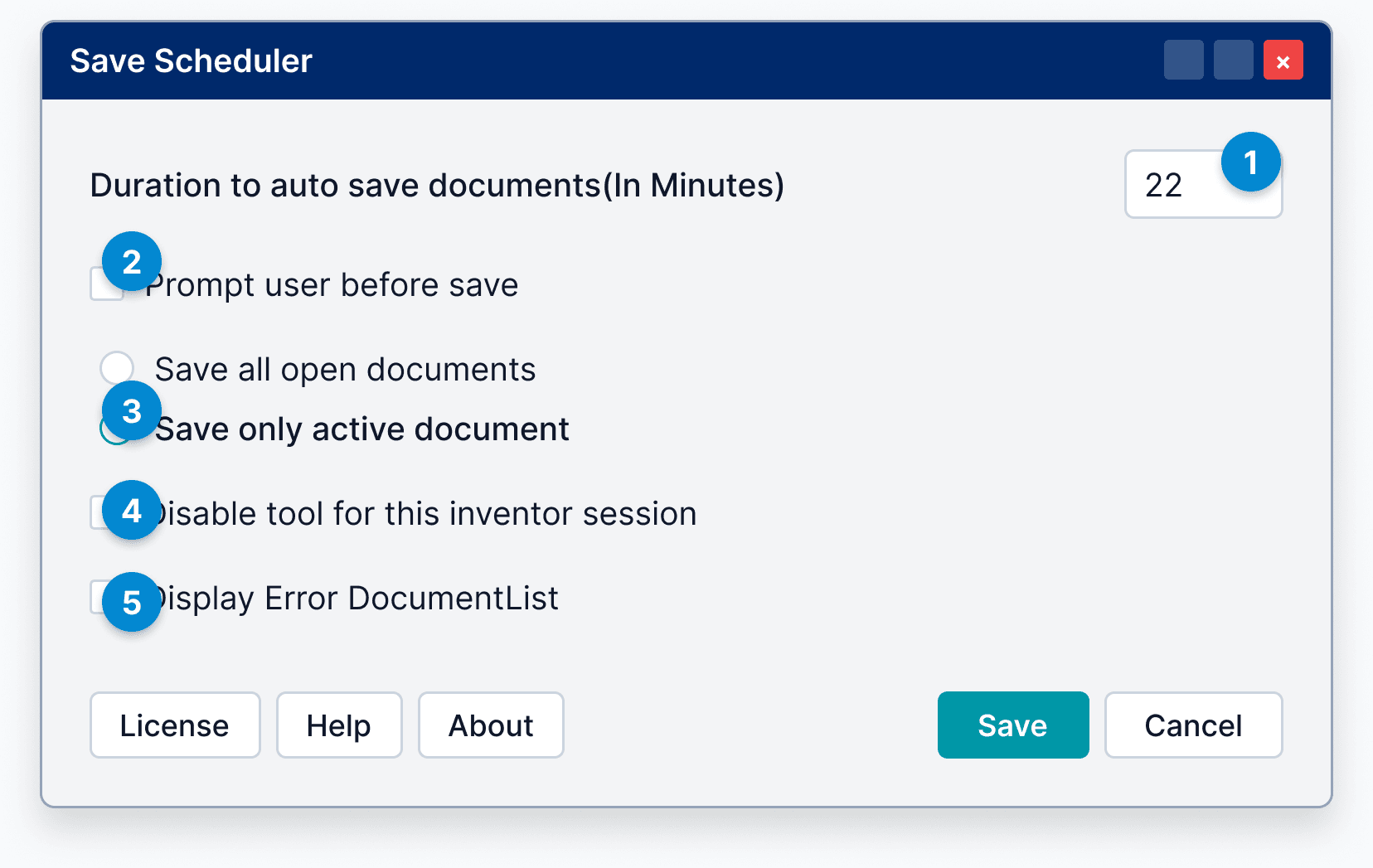
Tool will auto save the documents. User can set this interval between 5 to 60 minutes only.